
Download Intense Concentration – Brain Training, Memory Game, Free Windows App
Overview
Intense Concentration is a free Windows-based game designed to challenge players’ memory and concentration through a classic matching mechanic. The app functions as a cognitive exercise tool, aiming to enhance mental sharpness by requiring users to identify and pair identical images. It is particularly suited for individuals seeking a low-pressure, engaging way to stimulate their brain, whether for daily mental maintenance or as part of a broader cognitive training routine.
The target audience includes casual gamers, students, professionals, and older adults interested in preserving mental agility. Although the developer’s background is not disclosed in the provided information, the app has been available since 2009, indicating a long-standing presence in the digital productivity and wellness space. Its continued relevance suggests a stable, user-tested design that meets basic cognitive training needs.
Real-world use cases include using the game during short breaks at work, as a family activity, or as a mental warm-up before study or creative sessions. In the broader app ecosystem, Intense Concentration occupies a niche as a lightweight, accessible tool that supports mental wellness without requiring a subscription or in-app purchases.
Key Features & Functionality
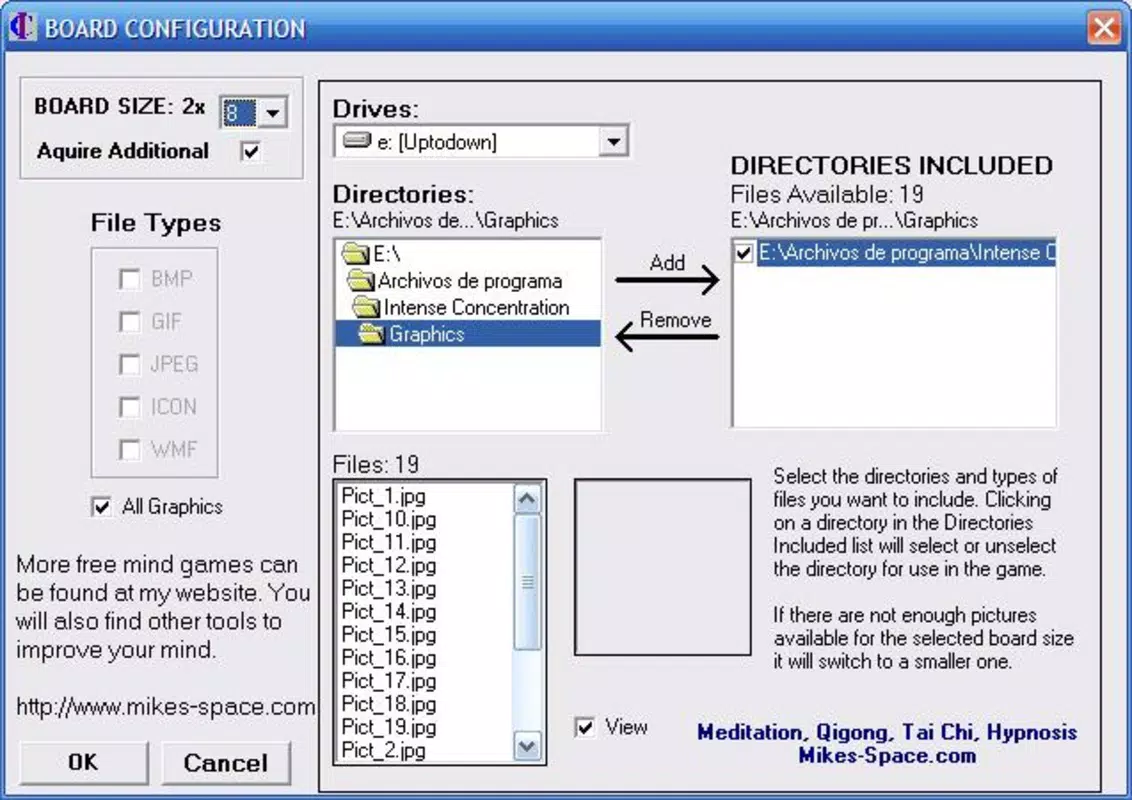
- Customizable Card Sets: Players can assign custom names to the cards used in gameplay, allowing for personalization based on themes, languages, or specific learning goals. This feature enables tailored challenges, such as matching vocabulary words or familiar faces, making the game adaptable for educational or memory-building purposes.
- Varied Difficulty Levels: The game offers multiple difficulty tiers, enabling users to adjust the number of cards and complexity of pairings. This scalability ensures that both newcomers and experienced players can find a suitable challenge, promoting sustained engagement and skill progression.
- Add Personal Photos: One of the standout features is the ability to upload personal images, such as family photos or favorite artwork, to be used in the game. This transforms the experience from a generic exercise into a meaningful, emotionally resonant activity, enhancing motivation and retention.
- Free to Play: The app is fully free to download and use on Windows, with no hidden costs or advertisements reported. This accessibility makes it an ideal choice for individuals seeking brain-training tools without financial commitment.
- Brain-Training Mechanics: At its core, the game relies on memory recall and visual attention, two essential cognitive functions. Each round reinforces neural pathways associated with focus and short-term memory, supporting long-term mental fitness when used consistently.
For example, a user might create a themed set using vacation photos to test memory recall of travel experiences, or a student could use flashcards with study terms to reinforce learning. These practical applications demonstrate the game’s versatility beyond simple entertainment.
Interface, UX & Performance
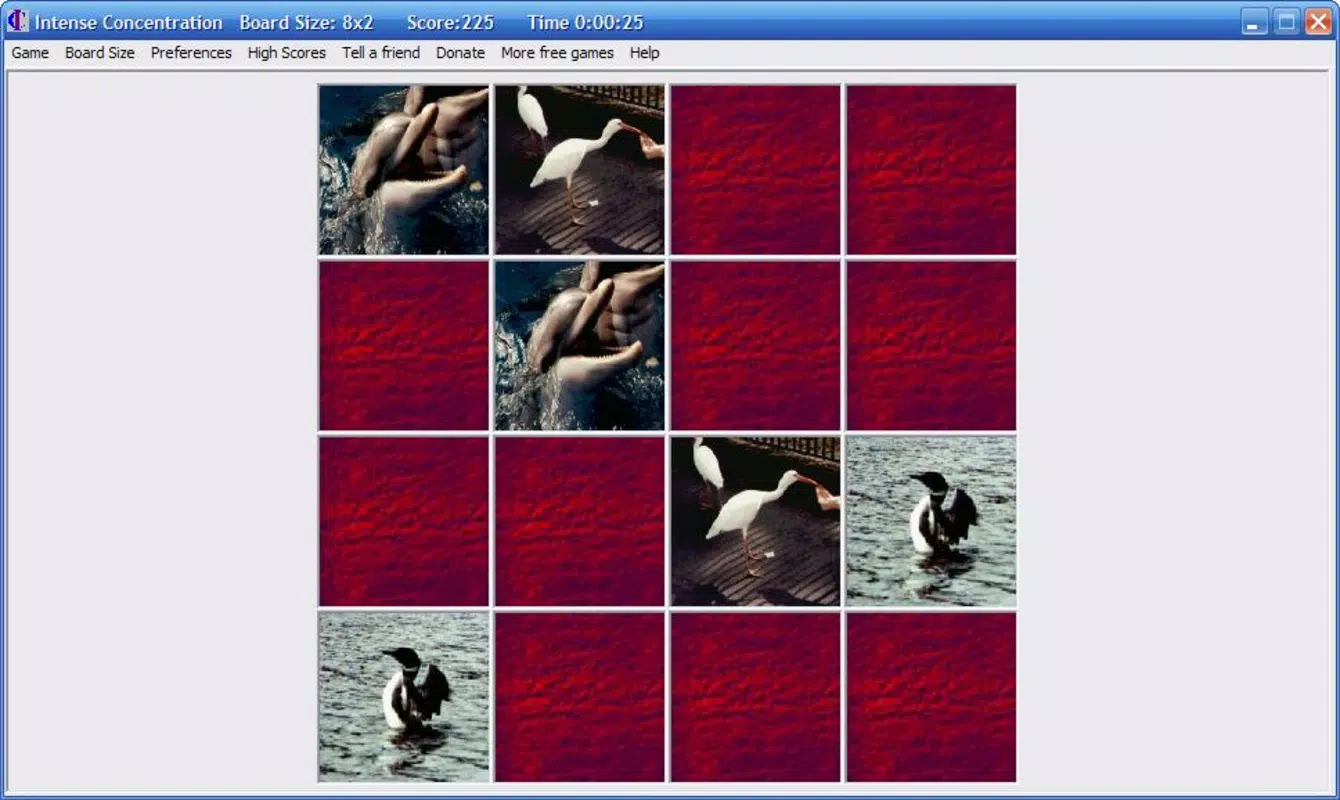
The user interface of Intense Concentration appears to be straightforward, with a clean layout centered around a grid of face-down cards. Visual design emphasizes clarity, using high-contrast images and minimal distractions to maintain focus on the core gameplay. Navigation is intuitive, relying on simple mouse clicks to flip cards and reveal their contents.
The flow is linear: select two cards, observe the result, and continue until all pairs are matched. Although the developer did not list formal performance metrics, the app’s long-standing availability suggests a stable and responsive design across a range of Windows systems. Users can expect consistent performance on devices with standard configurations, though specific optimization details were not disclosed.
Responsiveness is likely adequate for casual use, with minimal lag during card flipping and pairing. Stability appears reliable, given the app’s release date and continued presence in the market. However, compatibility with modern Windows versions (such as Windows 11) has not been confirmed in the provided data.
The overall user experience is functional and purpose-driven, prioritizing cognitive engagement over flashy visuals or complex animations.
Platform Compatibility & Technical Requirements
Intense Concentration is designed for the Windows operating system. The app is available as a downloadable file, with a file size of 2.7 MB. Specific version requirements were not listed, nor were any detailed technical specifications provided.
The developer did not specify minimum OS requirements or hardware needs. Compatibility information was not fully disclosed. As such, users should verify system compatibility before installation.
The app does not appear to be available on mobile platforms such as Android or iOS, as no such information was included. Given its size and age, it is likely compatible with most Windows systems released in the past decade, though this remains unconfirmed. The lack of platform-specific details prevents definitive statements about cross-device availability.
Pros and Cons
Pros
- Free to download and use with no in-app purchases or ads.
- Supports personal image uploads for customized gameplay.
- Offers adjustable difficulty levels suitable for all skill levels.
- Encourages cognitive development through memory and concentration exercises.
- Simple, intuitive interface focused on user engagement.
Cons
- Platform limited to Windows; no mobile or web version available.
- Developer background and official support details not disclosed.
- Performance on newer Windows systems not confirmed.
- Limited visual customization options beyond card names and images.
- No update history or version release notes provided.
FAQ
Is Intense Concentration safe to download?
Yes, the app is available as a free download for Windows and has been in circulation since 2009. No malicious behavior has been reported in the provided data.
Can I use my own photos in the game?
Yes, one of the key features allows users to upload personal images to be used as card faces, enhancing the personal and emotional connection to the game.
Is the app available for Android or iOS?
Based on the information provided, Intense Concentration is only available for Windows. There is no confirmed availability on mobile platforms.
Does the app require an internet connection?
While the developer did not specify, the app’s functionality suggests it operates offline. No cloud sync or online features were mentioned.
How often is the app updated?
The release date is listed as 2009, but no update history or version release notes were provided. The app may not receive regular updates.
Final Thoughts
Intense Concentration stands out as a dependable, no-frills brain-training tool for Windows users. Its emphasis on memory, focus, and personalization makes it a valuable addition to daily mental wellness routines. While it lacks modern polish and mobile availability, its core mechanics remain effective and engaging.
The ability to use personal photos and customize card sets adds a meaningful layer that elevates it beyond typical memory games. It is ideal for individuals seeking a free, accessible way to sharpen cognitive skills without distractions. For those who value simplicity, functionality, and mental stimulation, this app delivers consistent value.
Download Intense Concentration now.


